

Log Book (Activity Log)
The Log Book (Activity Log) provides a structured way to record, track, and review important events, activities, and notes related to a Site or at the Organization level within the EcoPhi platform.
It serves as a centralized documentation tool to ensure transparency, traceability, and improved collaboration across teams.
Key Capabilities
- Automatic logging of system events (e.g. settings changes)
- Creation of manual log entries by users
- Timestamped records for all entries
- Ability to add comments to existing entries
- Centralized view of all activities per Site
Access
- Organization level: Available via the left navigation bar
- Site level: Available within the Site tabs
Log entries are stored at the Organization level and are only visible within the Organization where the action or change took place.
For example, if a Site setting is changed within a Sub-Organization, the corresponding log entry will only appear in the Log Book of that Sub-Organization and not in the Main Organization.
Manual Log Entries
Each manual log entry consists of:
- A title
- A description
Manual log entries can be used for:
- Internal notes
- Documentation of activities
- Communication within teams
Comments
- Each log entry can be commented
- Comments allow collaboration and additional context
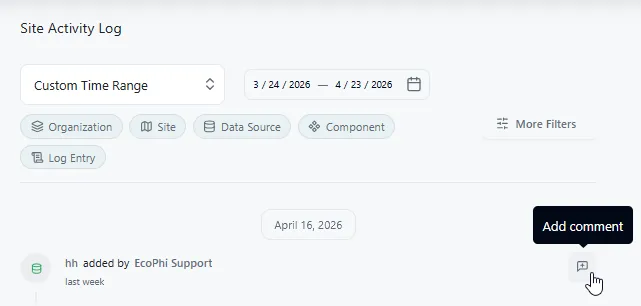
Filter
Log Book entries can be filtered by:
- Entity
- Site
- Data Source
- Component
- Manual Entries
- Custom or predefined time range