

API
This page explains how to create and manage API keys in the EcoPhi Portal. It also shows where to find the API documentation and which permissions are typically needed for data access.
API Keys
Add an API Key
Watch this video to see how you can create and manage API keys:
Go to “Organization Settings” in the left navigation bar and click “Manage API Keys”.
You will see a list of existing API keys.
Click on “Create API Key”.
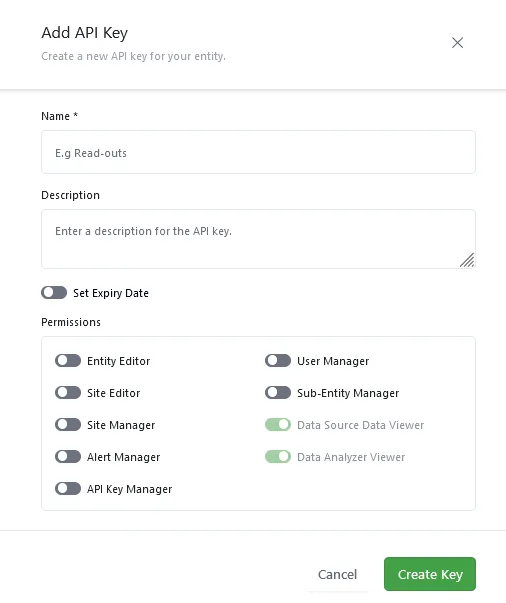
Enter a name to identify the key. You can also optionally add a description and an expiry date.
Make sure you select the right permissions and click “Create Key”.
For more information about organization roles and permissions, see Organization Management.
A window will open with the API key. Copy the key so that you can use it.