

Data Export
There are two ways to export data within the platform:
- Site-level export via the Site tab
- Panel-level export via dashboard panels
1. Site-Level Export
You can export data for a complete Site via Export on the Site tabs.
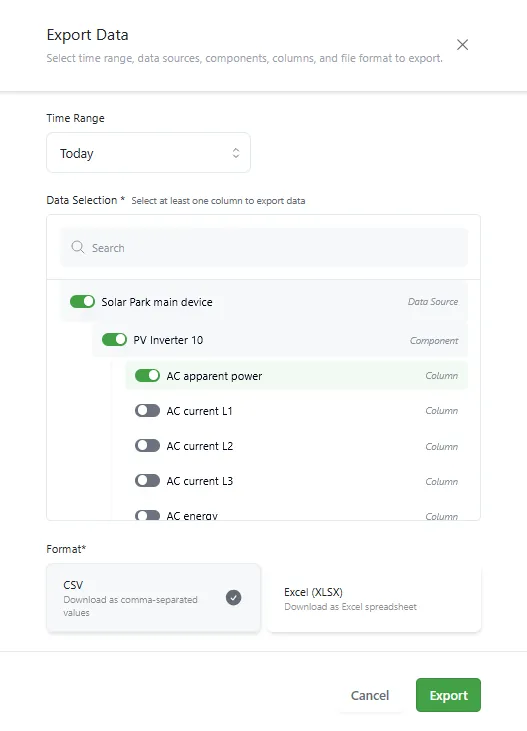
Steps
- Open a Site and navigate to the Export tab
- Select a predefined or custom time range
- Choose the required system metrics for each Data Source and Component
- Select the desired file format (.csv or .xlsx)
- Click Export
The file will be downloaded automatically.
2. Dashboard Panel Export
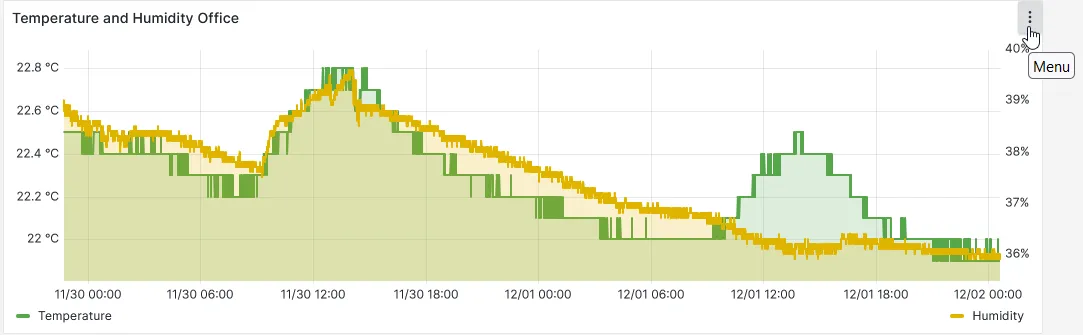
You can export data from individual dashboard panels.
This is useful for exporting specific datasets shown in a visualization.
Steps
- Select the desired time range on the dashboard time picker
- Click the three-dot menu in the top right corner of the panel you want to export
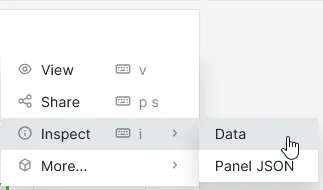
- Navigate to Inspect → Data
-
Open Data options to:
- Choose between formatted or raw data
- Configure headers for Excel
-
Click Download CSV
